
Top Features Worth Using Inside a Modern Trading Terminal
Trading software has evolved far beyond displaying charts and executing orders. Today’s platforms combine analysis, risk management, market news, and automation into a single workspace. Even so, many traders use only a handful of the available tools. Learning how to get more from a trader terminal can improve efficiency without changing the strategy itself.
The most valuable features are not always the newest ones. In many cases, they are the tools that eliminate repetitive tasks, reduce distractions, and make important information easier to access when markets become active.
A better workflow often leads to better decisions.
1. Custom Watchlists That Reflect Your Strategy
A watchlist should do more than display popular markets.
Instead of tracking dozens of instruments, organize assets according to your trading approach. One list might contain major currency pairs, another could focus on commodities, while a third tracks markets affected by upcoming economic events.
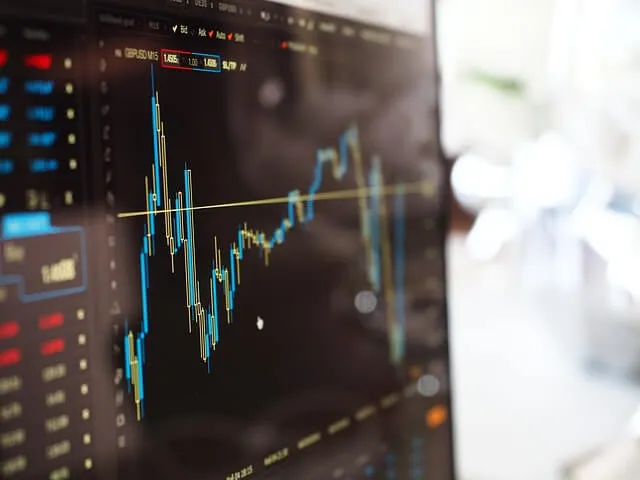
Image Source: Pixabay
When everything you need is grouped logically, less time is spent searching and more time is spent analyzing.
2. Smart Alerts That Replace Constant Monitoring
Many beginners believe successful traders spend the entire day watching charts. In practice, experienced traders often rely on alerts to tell them when action is required.
Price notifications, percentage-change alerts, and economic event reminders allow traders to step away from the screen without losing awareness of important developments.
Ironically, reducing screen time can improve focus because every chart movement no longer demands attention.
3. Integrated News and Economic Calendars
Imagine preparing for a U.S. inflation report while monitoring EUR/USD. Without leaving the platform, you review the economic calendar, compare market expectations with previous data, and keep a live news feed visible beside the chart.
Once the report is released, you can evaluate both the market reaction and the headlines without switching between multiple websites.
That smoother workflow becomes especially valuable during fast-moving sessions.
4. Built-In Risk Management Tools
Modern platforms often include features that receive far less attention than chart indicators.
Position size calculators, one-click stop-loss adjustments, and account exposure summaries help traders evaluate risk before opening additional positions. These tools provide useful context, particularly when several trades are already active across correlated markets.
Managing exposure is easier when the information is visible rather than calculated manually.
5. Workspace Customization
Every trader processes information differently.
Some prefer several charts spread across multiple monitors, while others work more effectively with a single chart and a compact watchlist. The ability to save layouts, create templates, and organize windows means the platform adapts to the trader instead of forcing the trader to adapt to the platform.
This flexibility is often overlooked because it does not generate trading signals, yet it influences daily productivity.
Looking Beyond the Feature List
It is easy to assume that the platform with the longest list of features is automatically the best choice. Surprisingly, that is rarely how experienced traders evaluate software.
A useful trader terminal is one that supports your routine without adding unnecessary complexity. Features should reduce decision fatigue, simplify preparation, and help you focus on the market instead of navigating menus.
Before downloading another indicator or changing platforms, spend time exploring the tools already available. You may find that the biggest improvement comes from organizing your workspace more effectively rather than adding another layer of analysis.